Speed Camera Detector3.2.47
Publisher Description
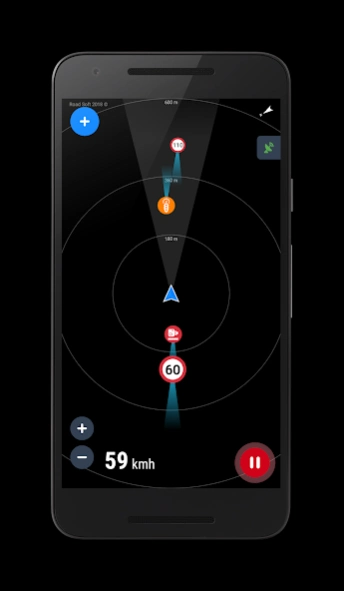


GPS Speed Camera Detector with voice alerts & offline radar
Avoid speeding tickets and drive safely with Speed Camera Detector!
Your reliable GPS radar app that warns you about every road hazard:
• Fixed & mobile speed cameras
• Red-light cameras
• Speed bumps and bad road sections
• Police radars, traffic jams, and other dangers
Using a shared global database updated daily by millions of drivers, Speed Camera Detector helps you stay informed and safe — anywhere in the world.
🚗 Main Features
✅ Built-in google navigation
✅ Real-time speed camera detection – get instant alerts before approaching any radar.
✅ Radar or Map view – use the app offline, no internet required.
✅ Voice alerts – stay focused on the road without looking at the screen.
✅ Works in background – compatible with any navigation app.
✅ Night mode and 3D map support for better visibility.
✅ Traffic jam display and auto-zoom on route.
✅ Dashboard with current speed and distance to hazard.
✅ 300,000+ active hazards worldwide.
✅ Daily database updates for maximum accuracy.
✅ Add or remove POIs to improve the community database.
🌍 How to Use
Open the menu and tap “Update Database” to download the latest POIs for your region.
Press “Start” to activate the radar detector.
Get real-time voice alerts for hazards on your route.
Swipe from the left or right edge to access settings and filters.
💬 Community-Driven Safety
Every registered user can report new hazards, confirm existing ones, or remove outdated POIs.
Join a global network of safe drivers helping each other avoid risks and fines.
🔔 Why Drivers Love Speed Camera Detector
Avoid speeding fines and unexpected radar traps.
Drive safely and confidently anywhere in the world.
Lightweight, accurate, and easy to use.
Works even when your screen is off.
Download Speed Camera Detector today and make every trip safer!
Be careful on the road — and if you enjoy the app, please rate us ⭐
About Speed Camera Detector
The company that develops Speed Camera Detector is Road Soft. The latest version released by its developer is 3.2.47. This app was rated by 1 users of our site and has an average rating of 3.0.
To install Speed Camera Detector on your Android device, just click the green Continue To App button above to start the installation process. The app is listed on our website since 2026-09-06 and was downloaded 144 times. We have already checked if the download link is safe, however for your own protection we recommend that you scan the downloaded app with your antivirus. Your antivirus may detect the Speed Camera Detector as malware as malware if the download link to com.lelic.speedcam is broken.
How to install Speed Camera Detector on your Android device:
- Click on the Continue To App button on our website. This will redirect you to Google Play.
- Once the Speed Camera Detector is shown in the Google Play listing of your Android device, you can start its download and installation. Tap on the Install button located below the search bar and to the right of the app icon.
- A pop-up window with the permissions required by Speed Camera Detector will be shown. Click on Accept to continue the process.
- Speed Camera Detector will be downloaded onto your device, displaying a progress. Once the download completes, the installation will start and you'll get a notification after the installation is finished.
Version History
version 3.2.47
posted on 2026-09-06
Support Android 16 with edge-to-edge
version 3.2.43
posted on 2026-01-26
Good news! We added support for Google Navigation to the radar. You can now receive notifications about road hazards directly on the navigation screen.
version 3.2.41
posted on 2025-09-29
Support Android 16. Bug fixes.
version 3.2.40
posted on 2025-07-08
Support Android 15
version 3.2.39
posted on 2025-06-18
Bug fixing. App performance improvement.
version 3.2.31
posted on 2024-10-21
version 3.2.29
posted on 2024-08-11
Android 14 supporting and bug fixing
version 3.2.18
posted on 2023-10-21
Trip statistics screen has been added
version 3.2.15
posted on 2023-08-20
We are glad to announce that in the new version of the application, the function of adjusting the minimum distance to determine the danger is available. The user can adjust the sensitivity threshold for each type of danger.
version 3.2.14
posted on 2023-06-09
Bug fixes. App supported 2 new languages: Thai and Uzbek
